Cash-flow forecasting for iPhone and the web

Know what's safe to spend, and what's coming.

Your checking balance, day by day: today, the low point, every bill on its date. New charges get one tap from you. Nothing is filed behind your back.

Read-only. Flo never moves money and never sees your bank password.

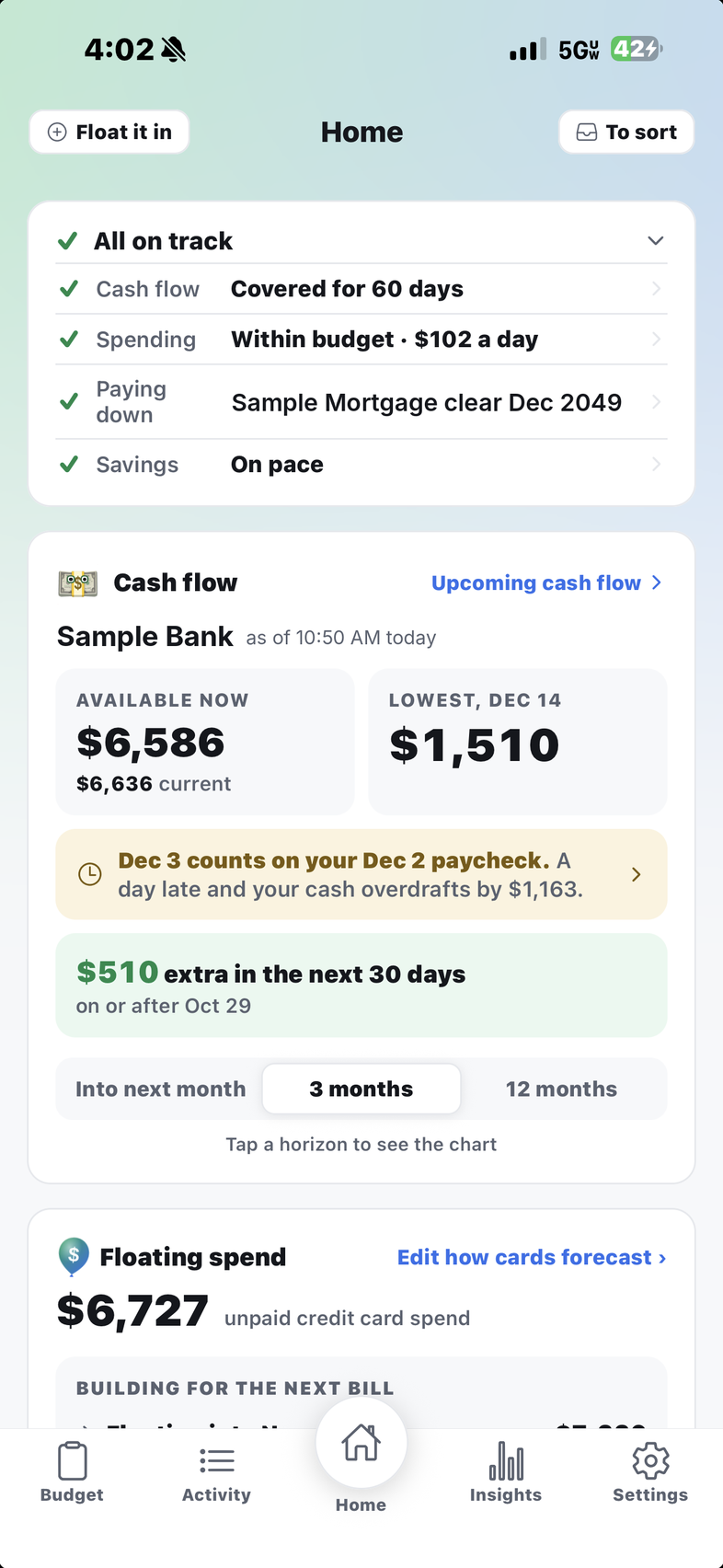
Flo's Home on an iPhone: All on track; Cash flow covered for 60 days, Spending within budget, Paying down, Savings on pace; the Cash flow card with Available now and the lowest point ahead, a note about a paycheck landing the day before a bill, extra in the next 30 days; Floating spend below
Read-only through Plaid No rules that file for you Day by day, not month by month iPhone and web, one account

The question at the register

Can I pay rent on the 3rd?

Other apps show where last month went. Flo shows what's in checking on the 3rd, with every bill and paycheck on its day, and names the low point weeks ahead.

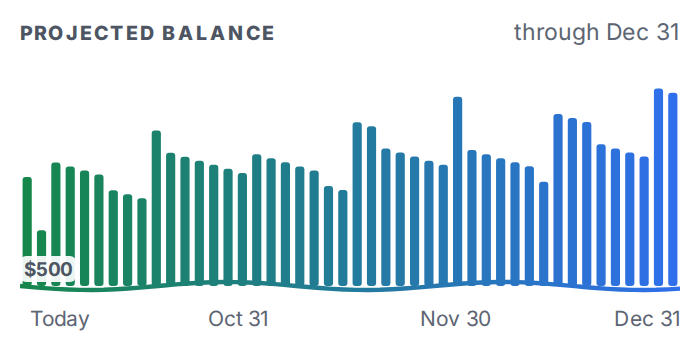
Projected balance, a bar for each day from today through December 31
Today
$4,218
Lowest, Nov 1
$2,214
Dec 31
$6,912

Sample data.

Budget and cash flow are two different questions

Within budget isn't the same as safe to spend.

A budget is for the month. Your checking account lives day to day. Home shows both.

The budget for the month
Spending money for October, after bills$1,200
Days left in October20
Within budget$60 a day
Your checking account until payday
In checking today$1,300
Bills that come out before payday−$700
Left until the Nov 3 paycheck$600
Days until that paycheck20
Avoid the overdraft$30 a day

The budget counts the whole month, the Nov 3 paycheck included. Your checking account doesn't have that paycheck yet. Spend $60 a day before it lands and you're $600 under on Nov 1.

What people give up on

Four things budgeting apps get wrong

"It filed my lunch as groceries. Again."Heard about every app that sorts for you

Flo shows, you decide

Flo's guess is lit. One tap files it. Untick what's wrong and Flo asks. No rules, nothing filed for you.
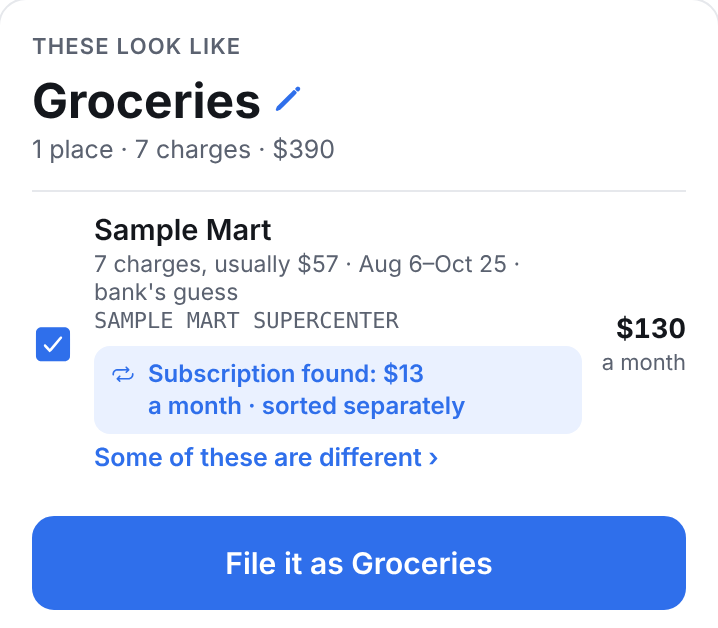
A sorting card: These look like Groceries, seven charges at one shop, with the subscription found among them sorted separately. One button: File it as Groceries.
"Will I have enough on the 1st?"The question a monthly budget can't answer

A balance for every day

Every paycheck and bill on its day, run forward from today's balance. The low point is named, and one line says you're covered.
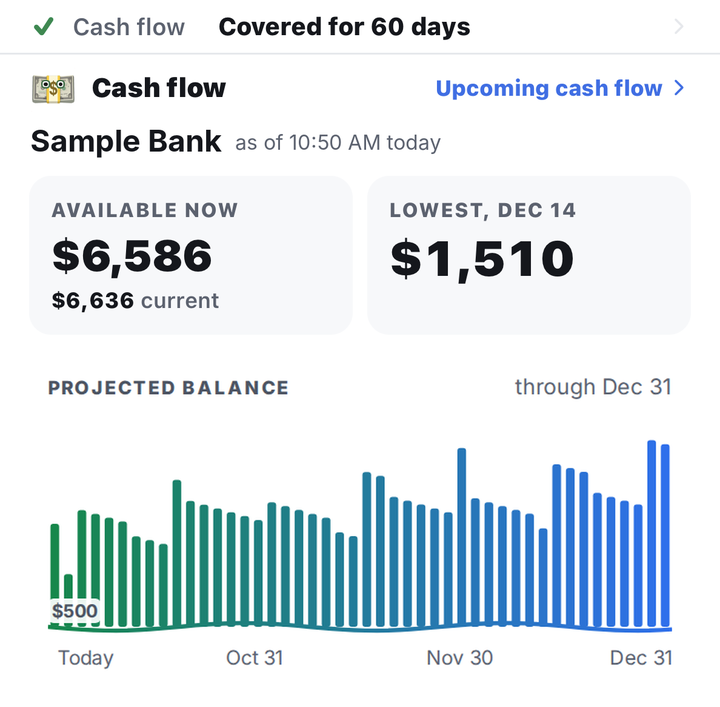
Home's cash flow card: Cash flow covered for 60 days; Sample Bank, $6,586 available now, $6,636 current, lowest $1,510 on Dec 14; and the projected balance, one bar per day, through December 31
"I never know what's on my card until the bill hits."And in most apps the payment itself becomes a puzzle

Floating spend

What's on your cards and not paid yet, by the month it's due, already counted in your cash flow. No surprise on payment day.
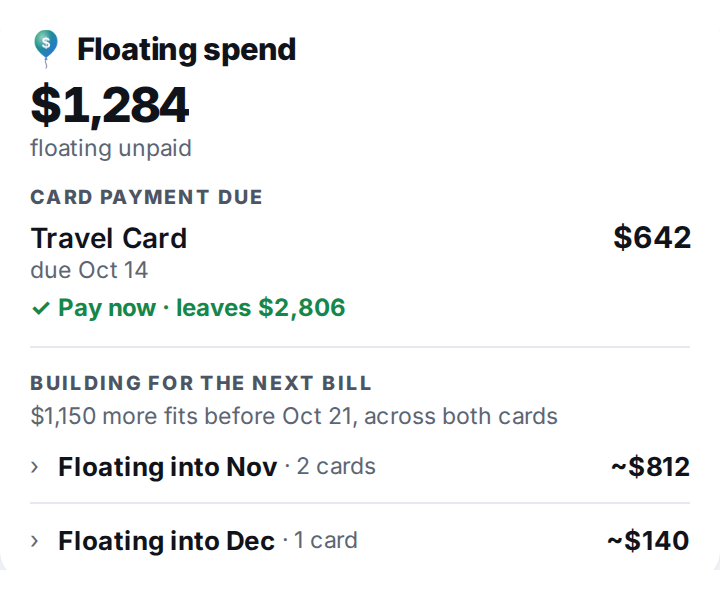
Floating spend: $1,284 unpaid on cards, the card payment due Oct 14, and what floats into November and December
"The power bill is never the same twice."So most apps call it late, or make you fix it by hand

Bills matched to what posts

The charge lands, the bill is paid, whatever the amount. One that comes in different asks once, in plain words.
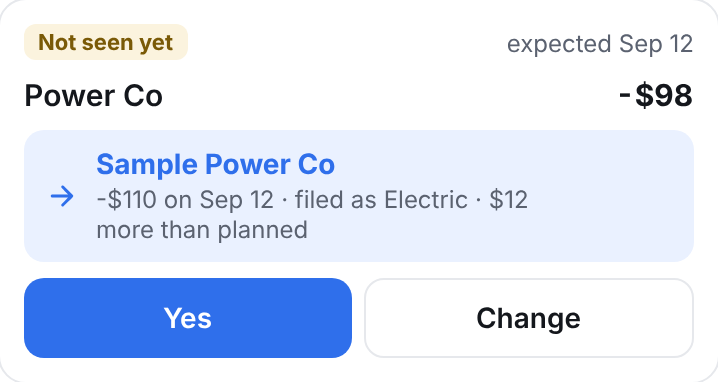
A To sort card: Power Co, planned at $98, came in at $110 on Sep 12, $12 more than planned. Yes, or Change.

Setup

A budget built from what you really spent

First

Sort three months

Grouped by place, sure ones first. Untick what's wrong, file the rest in one tap.

Then

Flo fills in the budget

Bills on their day, spending money by category, paychecks on schedule. Yearly bills it hasn't seen yet show as guesses.

After

One tap a day

New charges wait in To sort with Flo's answer on the card. Yes, or Change.
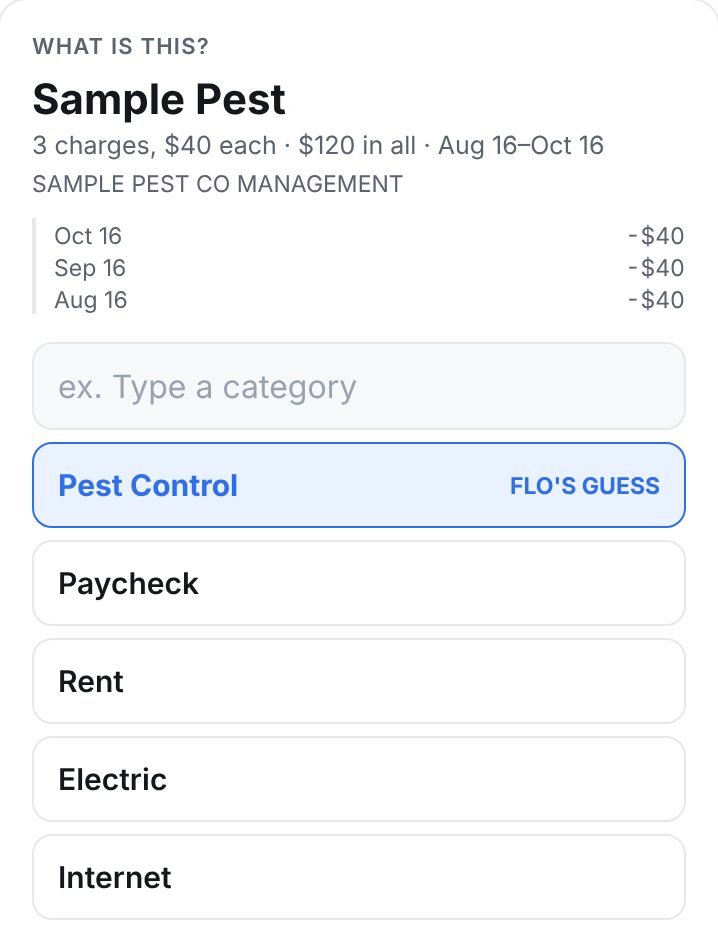
One place at a time: Sample Pest, three charges, with Pest Control lit as Flo's guess
Flo's guess, lit. One tap.
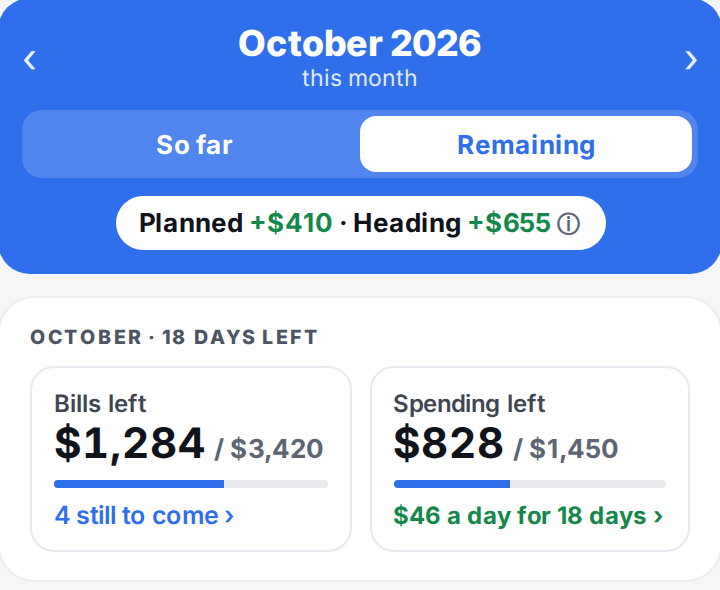
Budget: October, planned and heading, bills left and spending left
Budget, month by month.
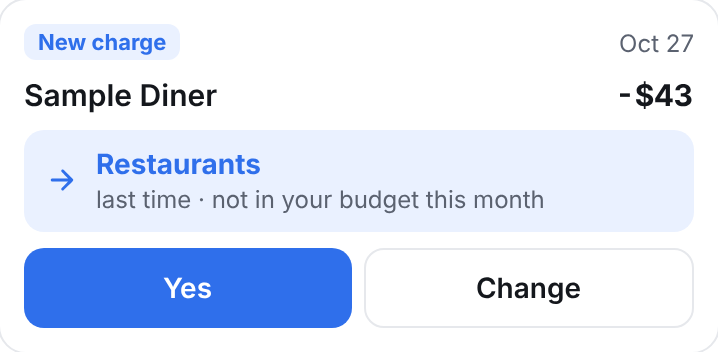
A To sort card: New charge, Sample Diner, $43. Flo's answer: Restaurants, last time. Yes, or Change.
A new charge, Flo's answer, one tap.

Screens show sample data.

Your bank

Read-only, through Plaid

Balances and transactions from US banks, credit unions and brokerages. Apple Card, Apple Cash and Apple Savings from Wallet.

If a bank stops sending, Flo tells you and holds the numbers it had. It never moves money and never sees your login.

Savings goalsA goal, a date, on pace or not.
Work expensesPaid-back spending stays out of your budget.
PartnersOne budget, each links their own banks.
InsightsWhere it went, down to every charge.
Smarter sortingOptional AI for unfamiliar names. Off until you say yes.
Phone or computeriPhone, or any browser at app.floapp.app. One account.

Why it's called Flo

Four words in the name

flowYour cash, today and a year out.
floatWhat's on your cards, and when it's due.
floorThe balance you won't go under.
flourishSavings with a goal and a date.

Questions

How does Flo connect to my accounts?

Through Plaid, read-only. On iPhone, Apple Card, Apple Cash and Apple Savings link from Wallet. Flo never sees your bank login. Disconnect anything in Settings.

Does Flo file transactions for me?

No. Flo shows its best guess; you decide, one tap per place. No automatic rules.

Can Flo move my money?

No. Read-only by design.

Does Flo use AI?

Only if you turn on Smarter sorting. It sends business names, categories, amounts and how often. Never your email, account numbers, balances or payments to people. Anthropic's Claude, which doesn't train on it.

What do notifications say?

Three, all optional: heading under your floor in the next two weeks, a card payment due in three days, a bank that stopped syncing. None shows an amount.

What does it cost?

Free during the beta. At launch, linking accounts will be part of a paid plan; tracking by hand stays free.

When is it available?

In beta on TestFlight. Join the early-access list on the support page for an invitation.

Who makes it?

Flo is built by JustJoshin LLC in Greenville, South Carolina. More about us.